
Module 5
Diffit makes it easy to get your resources where they need to go.
You've generated a resource, refined it with Chat, and made the edits that make it yours. Now it's time to send it where it needs to go — to your students, the colleague down the hall, or into your own library in Diffit or your Google Drive. Diffit gives you a few ways to do that, and the right one depends on how you plan to use it.
Your share options:
Export — Click the green button in the top corner. You'll see options for Google Docs, Google Classroom, and Microsoft Word, or you can download and print the PDF.
Share directly — Add your colleagues' emails to share the resource with them.
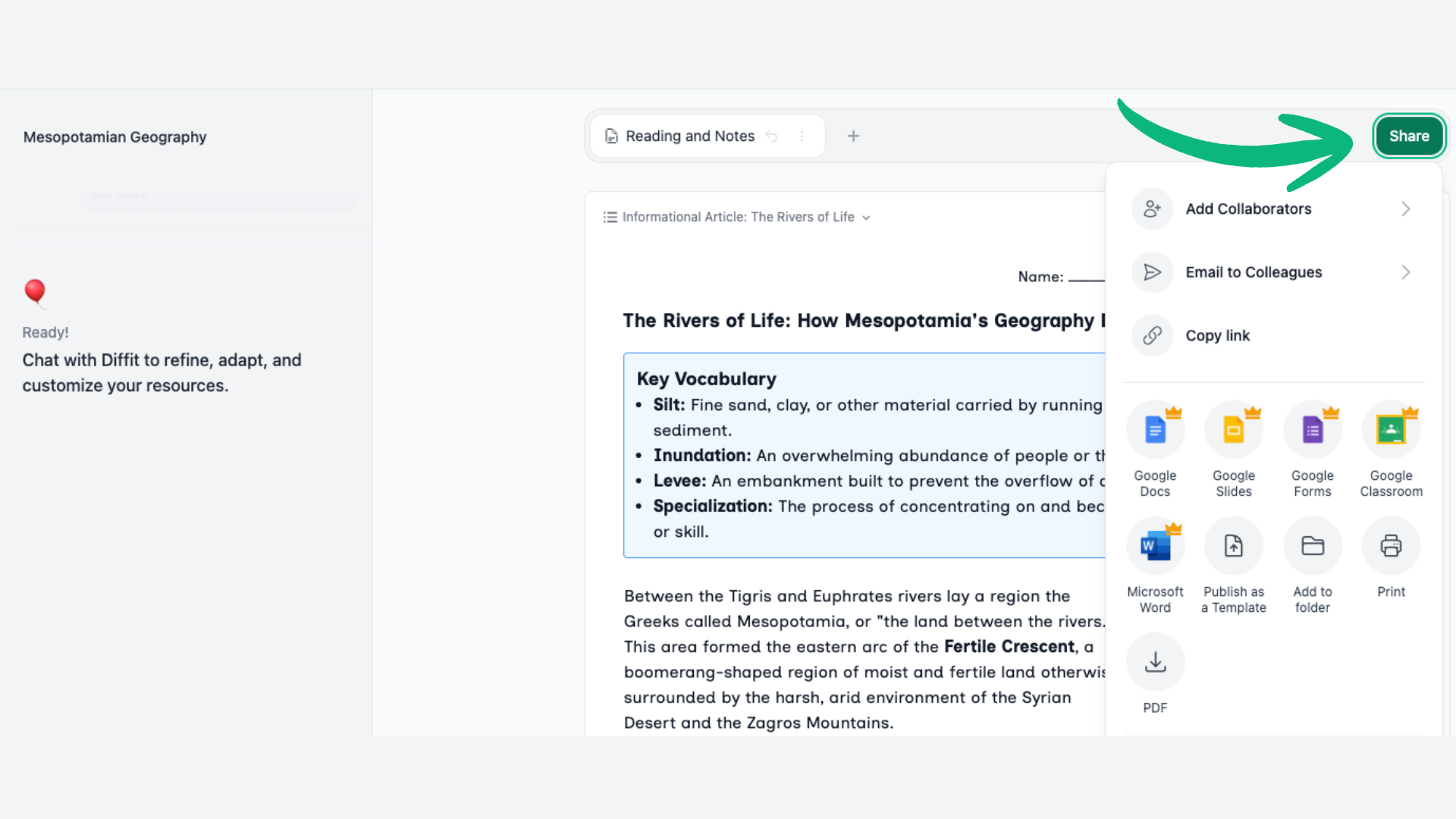
Publish as a template — This generates a shareable page you can link anywhere, including your own Google Drive. You — and anyone you share it with — can adapt and regenerate that same lesson with different content or different accommodations, right from that page.
Try It
BONUS: Organize — Your resources save to your library automatically. Add them to an existing or new folder through the same export menu. Find and create folders in My Resources, where you can also share them with colleagues.
Try one or two export options — whichever fit how you'd actually use or share this resource. Don't overthink it.
Then open it on the other side, or grab it from the printer, and take a look. That's the version your students or colleagues are going to see. Come back for the final module when you're ready.Try one or two export options — whichever fit how you'd actually use or share this resource. Don't overthink it.
Then open it on the other side, or grab it from the printer, and take a look. That's the version your students or colleagues are going to see. Come back for the final module when you're ready.