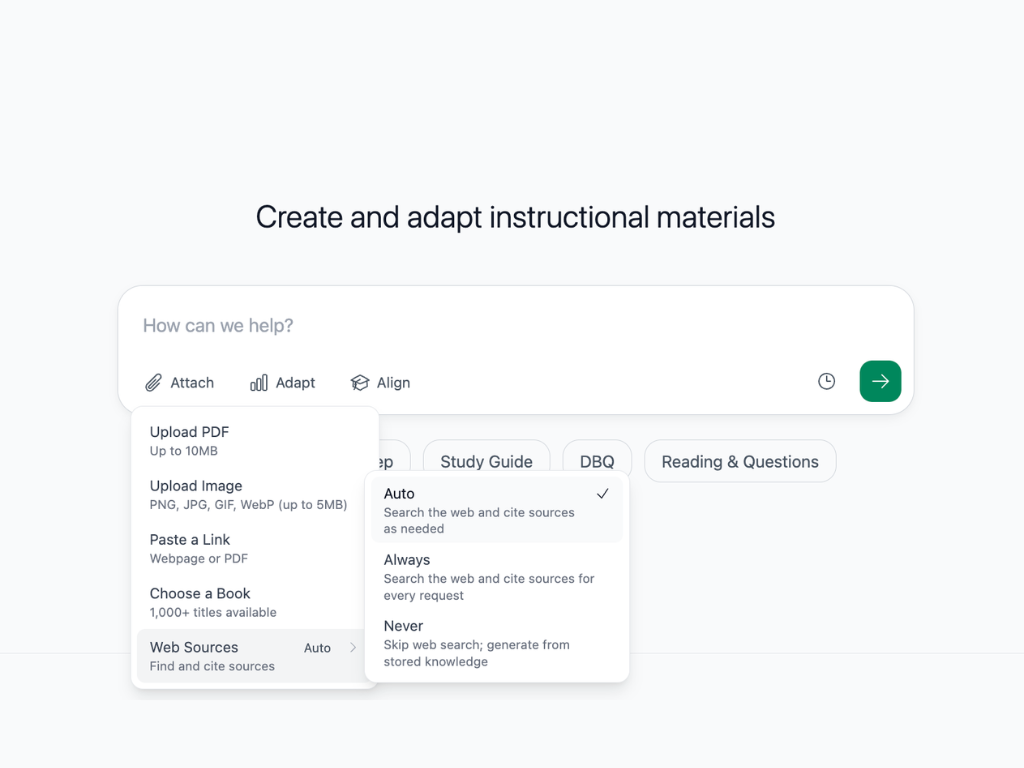
More control of where content comes from
Diffit now lets you decide whether to pull from the web when generating your resources.
What's new:
Click on Attach when creating a resource and you'll see a new Web Sources option with three settings. Auto lets Diffit decide based on your input. On always searches the web and cites sources, which is useful for current events or topics where you want fresh, referenced material. Off keeps generation focused on whatever you've already uploaded, so outside content never gets mixed in.
Teaching a current events unit? Turn web sources on. Working from a specific text you've uploaded? Turn them off and know your resource stays true to that material.