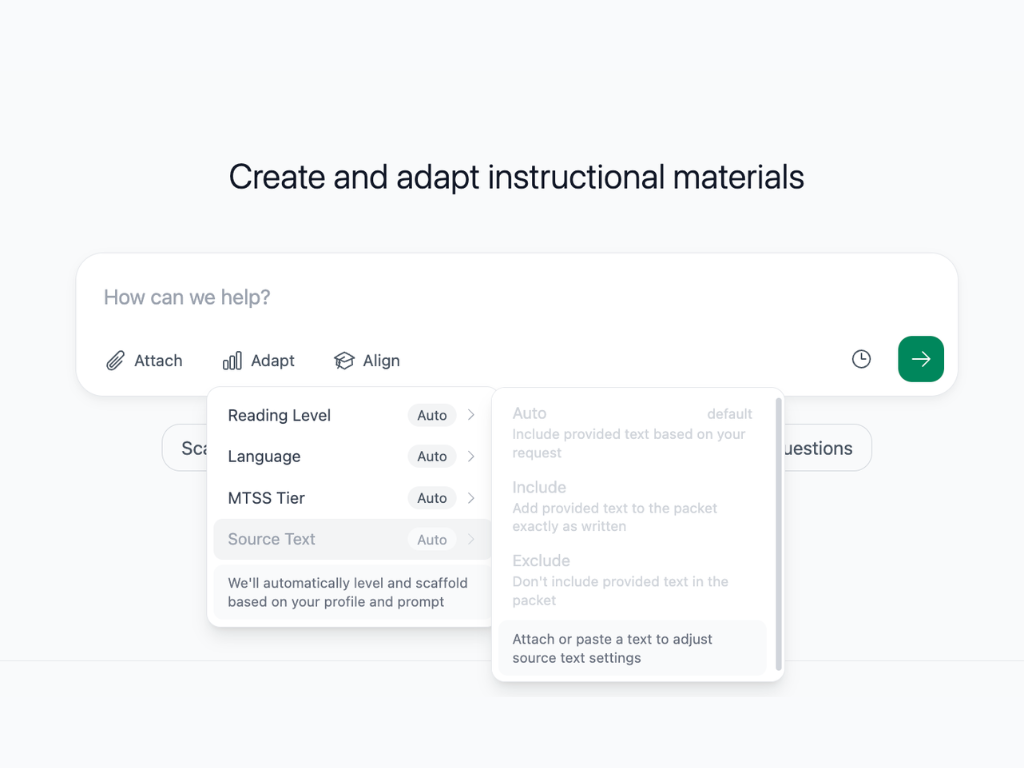
Keep your source text exactly as-is
Sometimes the text you bring to Diffit is exactly what you want students to read. Now, it’s easier to keep it that way.
What's new:
Click on Adapt when creating a resource and you'll see a Source Text option with three settings. Auto includes your text based on your request. Include adds your text to the packet exactly as written. Exclude leaves your provided text out of the packet entirely.
Working with a primary source that loses meaning if the language changes? A legal document, a historical speech, a poem? Teaching close reading and need students engaging with the actual words, not a paraphrase? Include makes sure your text stays intact while Diffit builds supporting resources around it.