Now, you can use Diffit anywhere on the web.
Highlight a passage on any webpage (a news article, a PDF, a district resource) and get it leveled, translated, or turned into questions without leaving the tab. No new app, no copy-paste, no losing your place mid-search.
Get started in 30 seconds:
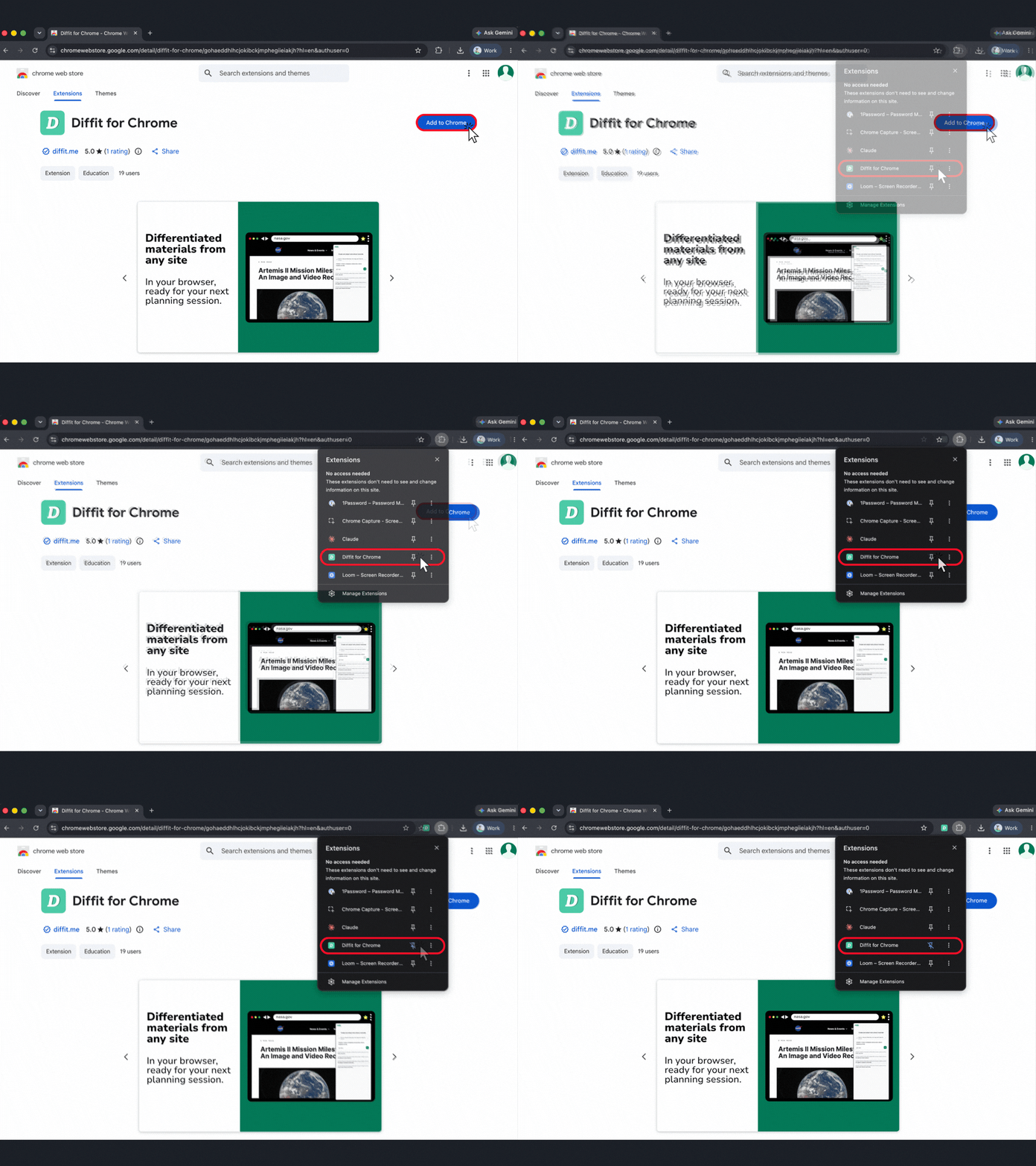
Click Add to Chrome
Pin the Diffit icon to your Chrome toolbar (click the puzzle-piece icon, find Diffit, click the pin)
Open any webpage you want to bring into your classroom
Click the Diffit icon in your toolbar or in the lower right hand corner, answer a few questions, and go